

Name the task
Give the task a clear name and an optional description. Both are for you and your team — the name is how the task shows up in the list and the run history. You can also add tags to group and filter related tasks.Choose a target
The target is what the task calls each time it fires. The Service type dropdown offers four options.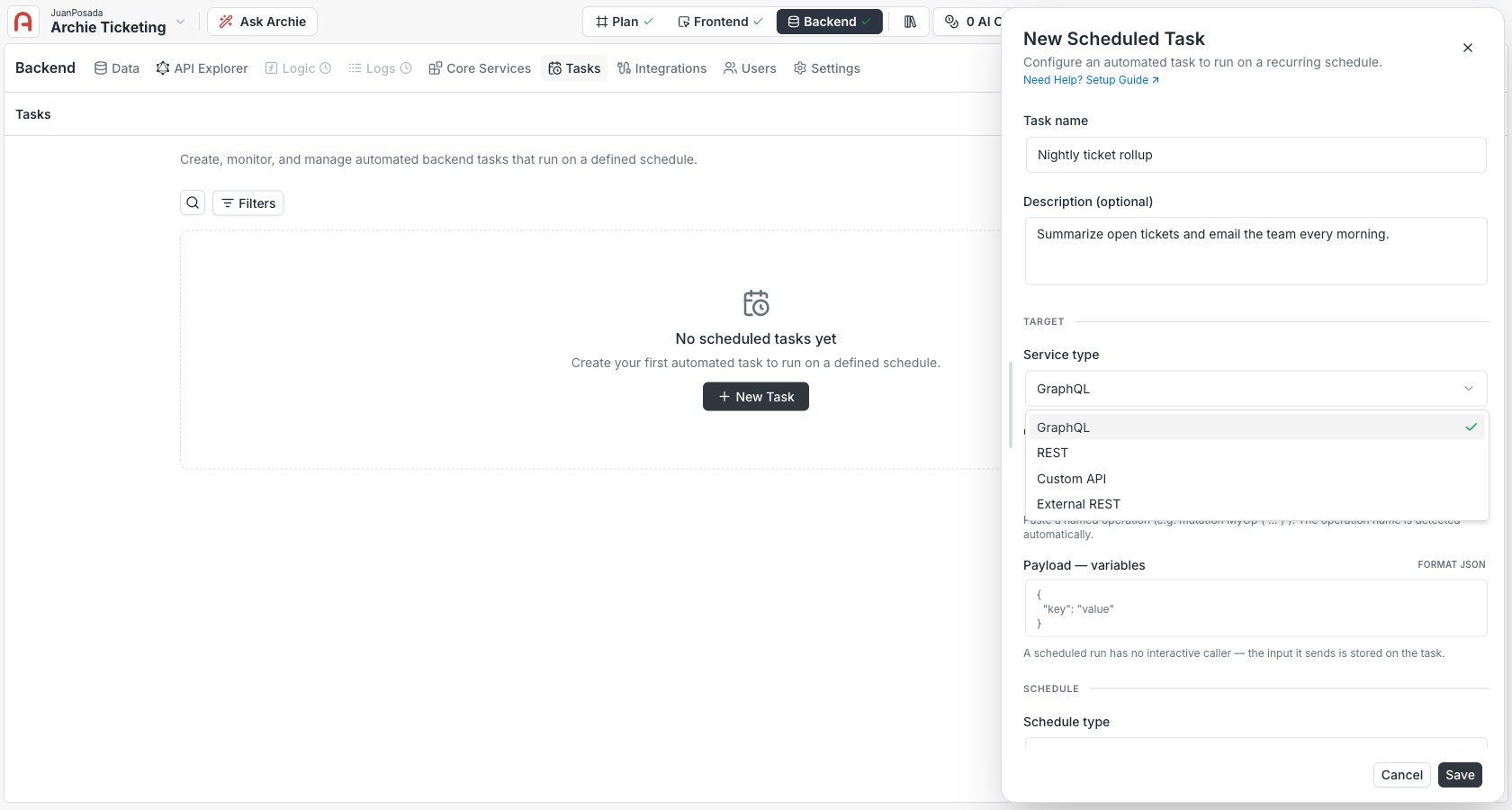
GraphQL
GraphQL
Write a GraphQL operation — a query or mutation — directly, with optional variables as a JSON object. The operation runs against your project’s GraphQL API. There’s no saved-operation catalog; you author the operation on the task.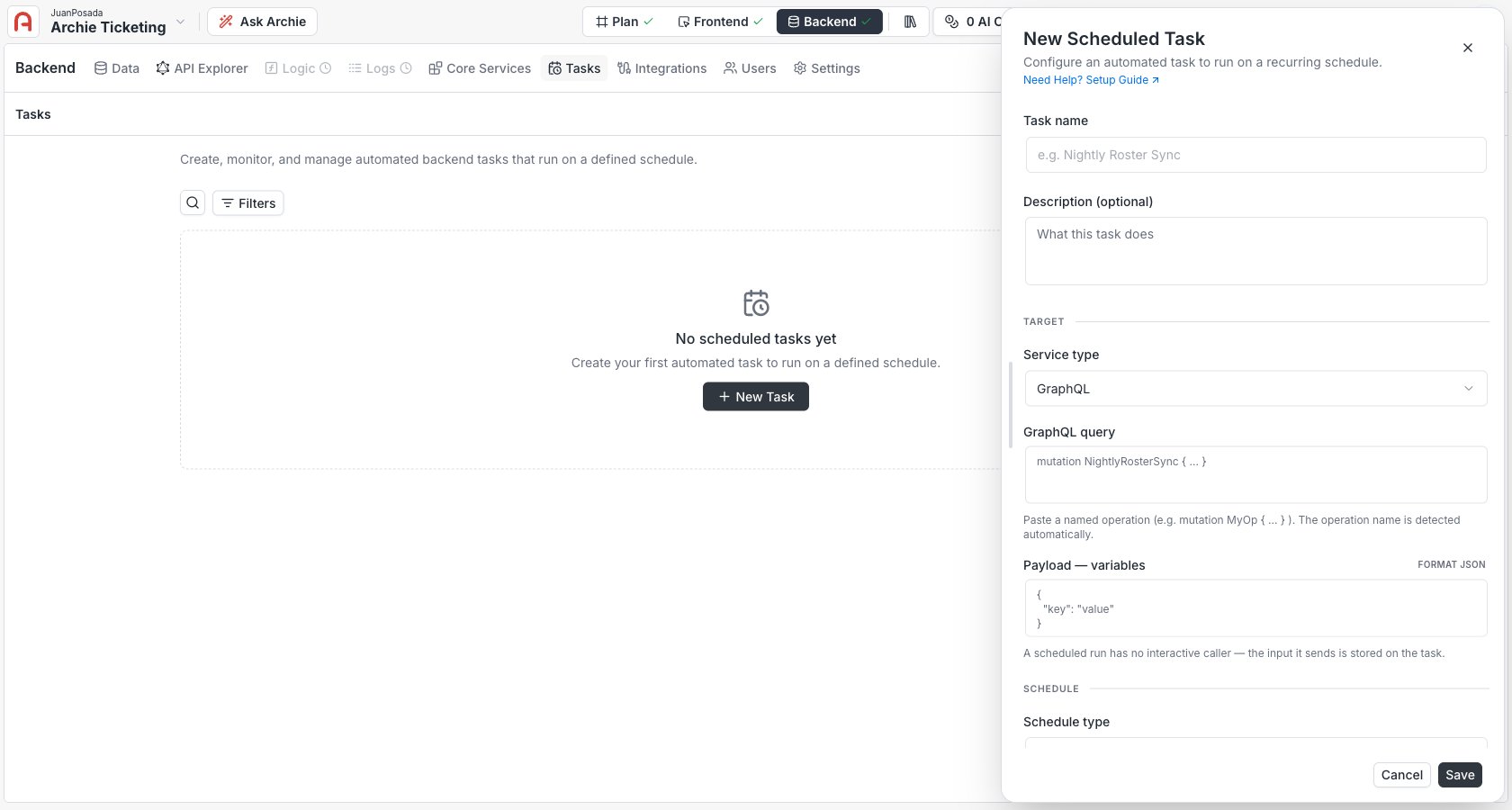
REST / Custom API
REST / Custom API
Reference a gateway route on your project by its route ID and path, with an HTTP method, an optional JSON body, and optional headers. This calls an internal REST or Custom API route by reference — never an arbitrary URL.
External REST
External REST
Call an arbitrary public API. Enter an absolute 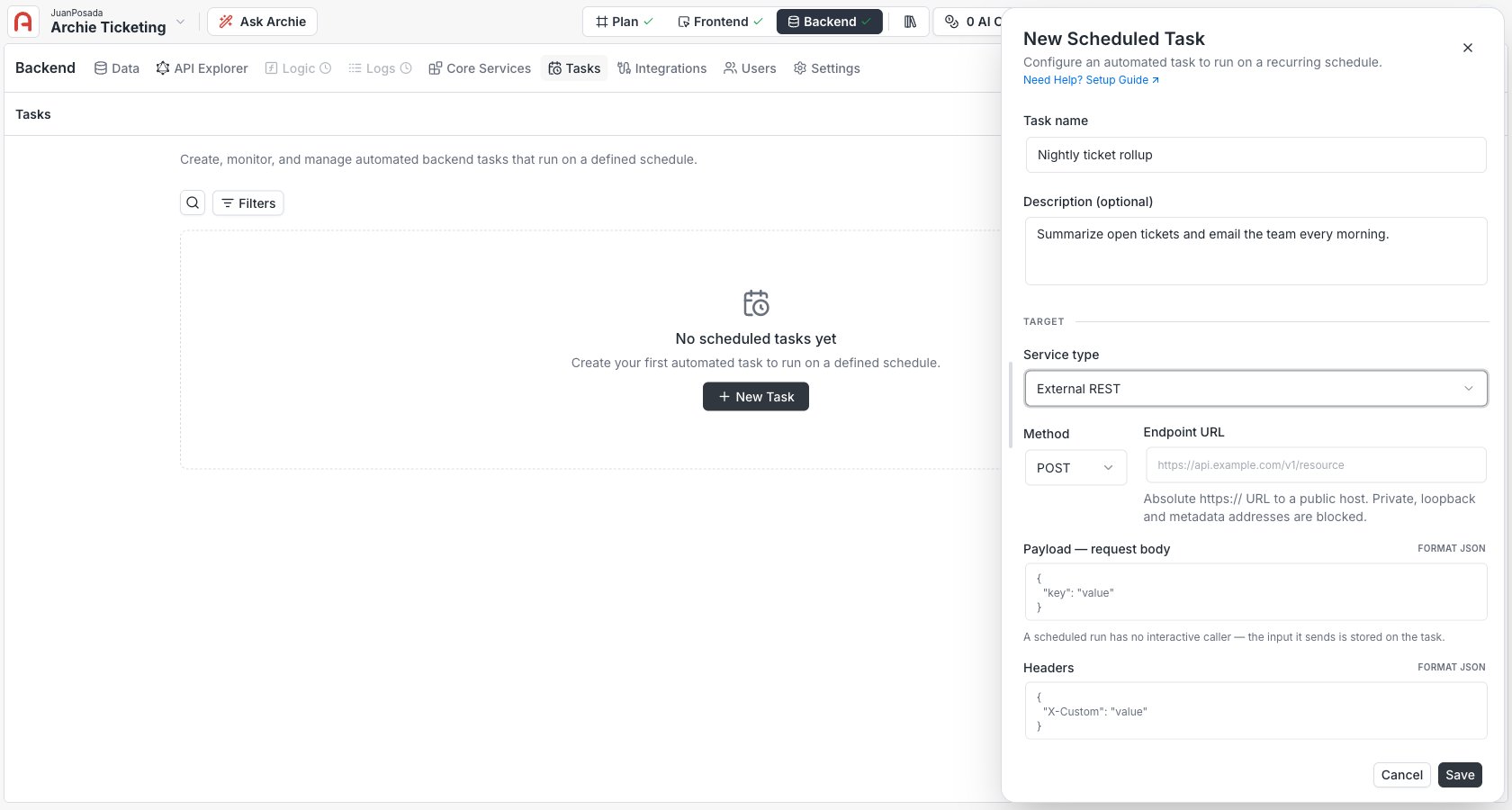
https:// URL, an HTTP method, and an optional body and headers. Requests are screened by an anti-SSRF guard: only public hosts are allowed — private, loopback, and cloud-metadata addresses are blocked.Set the schedule
Pick how the task fires. There are three modes.- Natural language
- Cron
- Once
Describe the schedule in plain words — for example, “every weekday at 8am” — and click Resolve schedule. Archie fills in the cron expression and previews the next few fire times; review both before saving.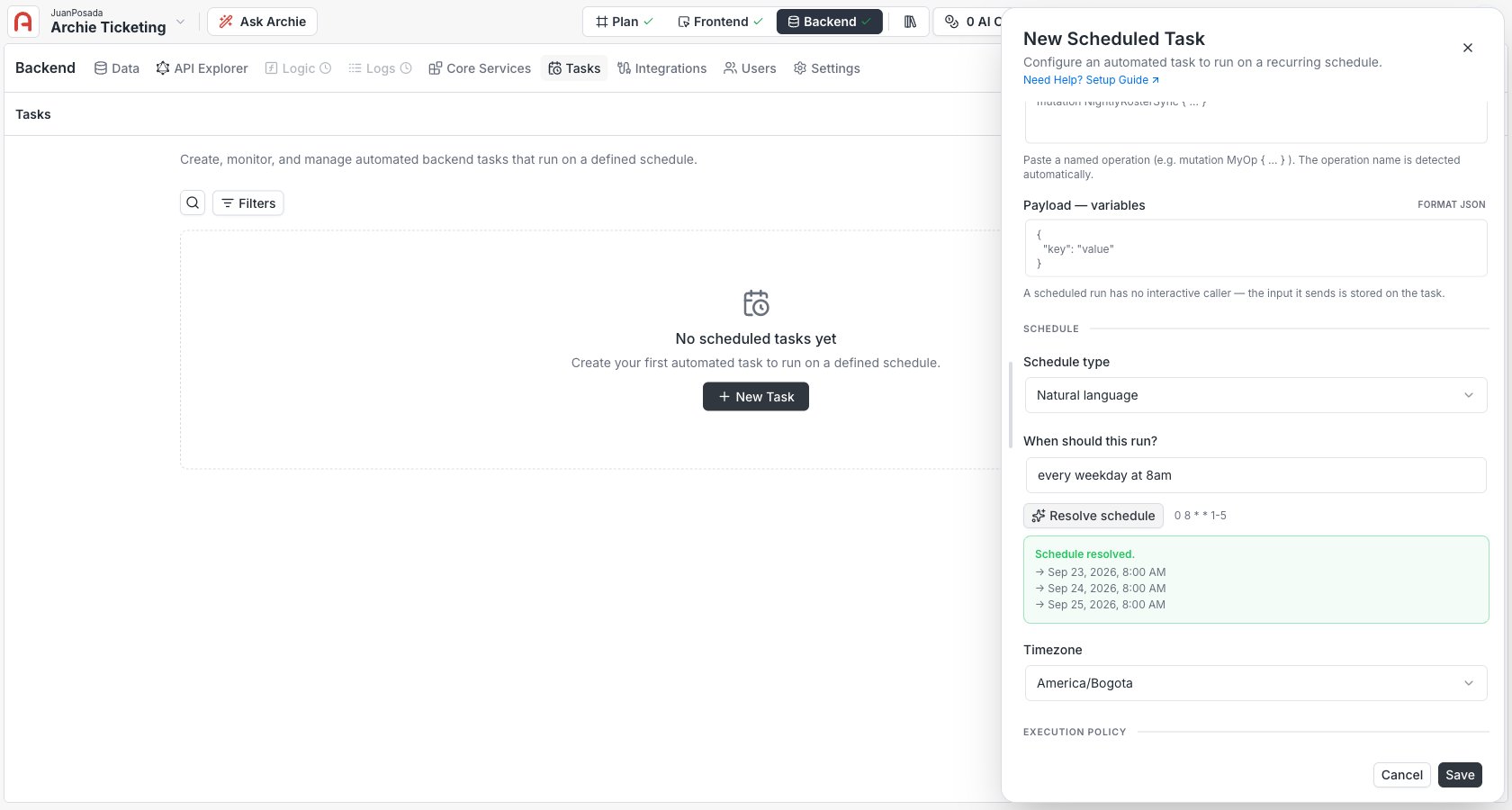
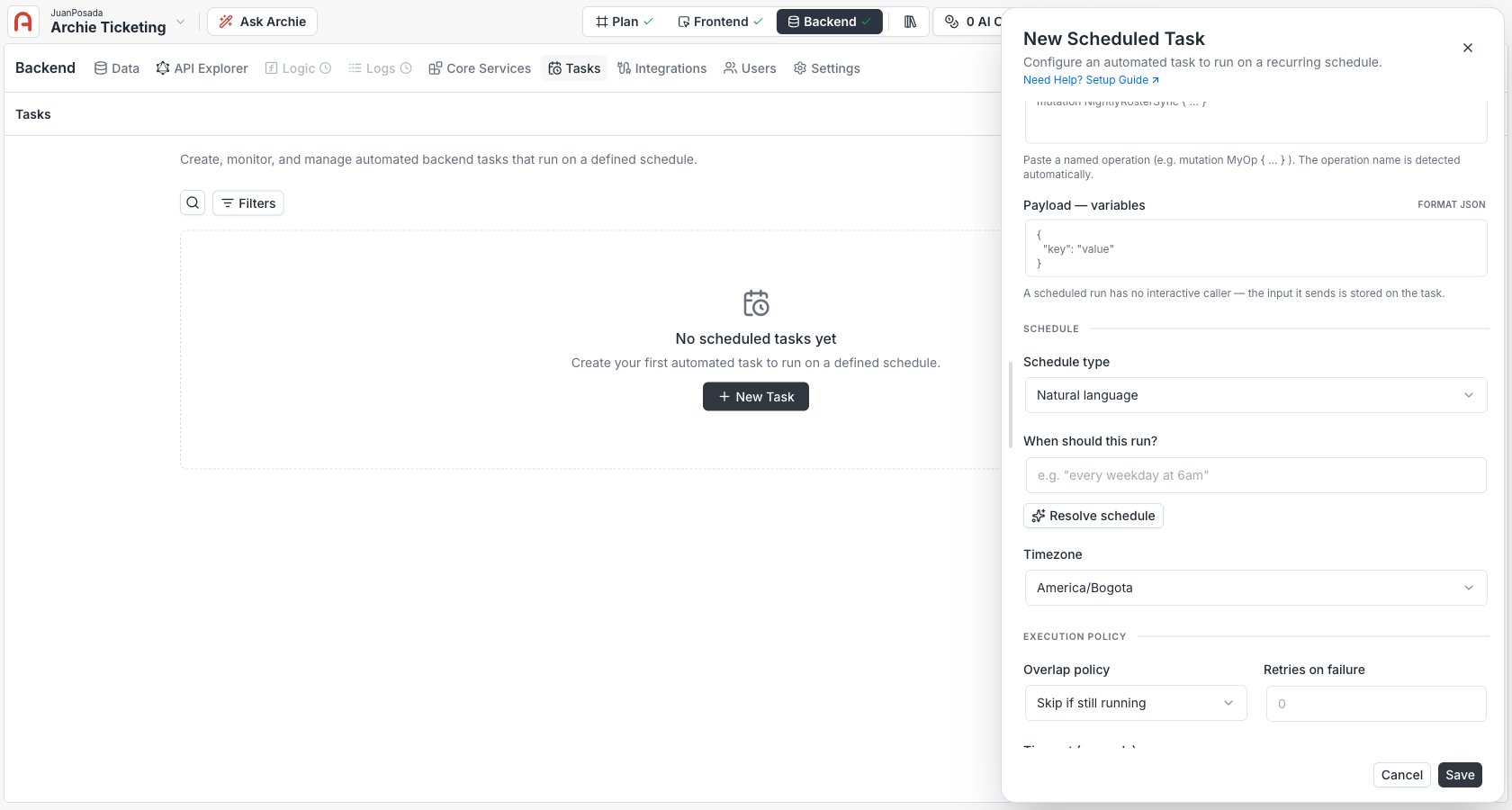
America/Bogota). Cron schedules are evaluated in that zone, so daylight-saving shifts are handled correctly. If you don’t set one, the schedule runs in UTC.
Natural-language resolution just fills in the cron expression — it’s a convenience on top of the cron mode, not a separate kind of schedule. Once resolved, the task stores and runs the plain cron expression.
Execution options
Tune how each run behaves.Choose Skip if still running or Queue for jobs that must not run twice at once — a nightly rollup, a job that writes to the same rows. Use Allow only when concurrent runs are genuinely safe.
Provide the execution credential
Add an execution credential — theAuthorization value sent when the task dispatches (for example Bearer <token>). For a GraphQL, REST, or Custom API target, create a role-bound key under Settings → API Keys scoped to exactly what the task needs. For an External REST target the field is optional — only fill it in if the third-party API requires that header.
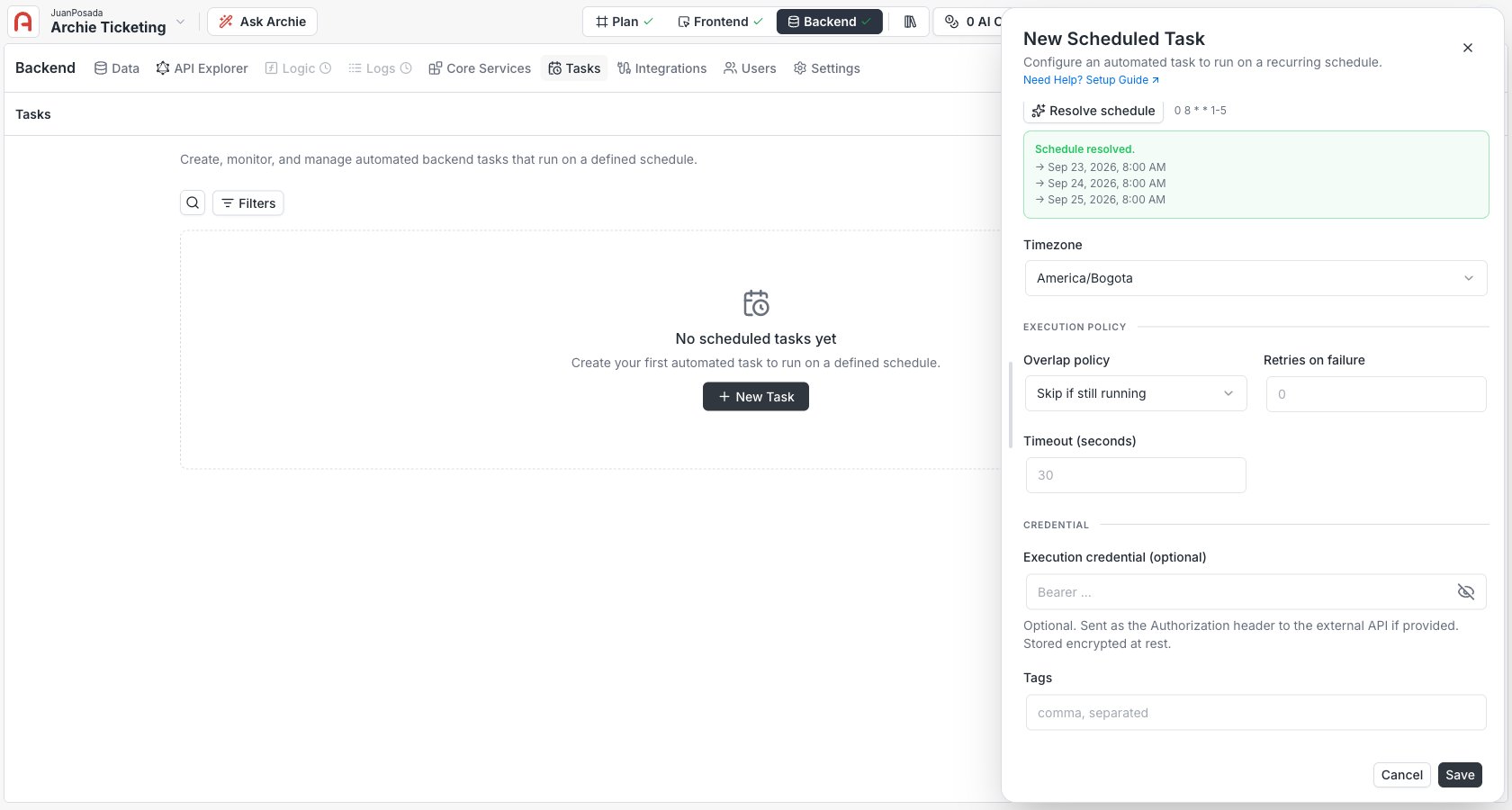
- On create, fill in a credential whenever the target needs one to authenticate.
- On edit, it’s optional: leave it blank to keep the stored one. The credential is write-only — it’s stored encrypted and never shown again.
Save
Saving creates the trigger in Active state and schedules its next fire. From the task list you can then run it on demand, suspend it, or review its history.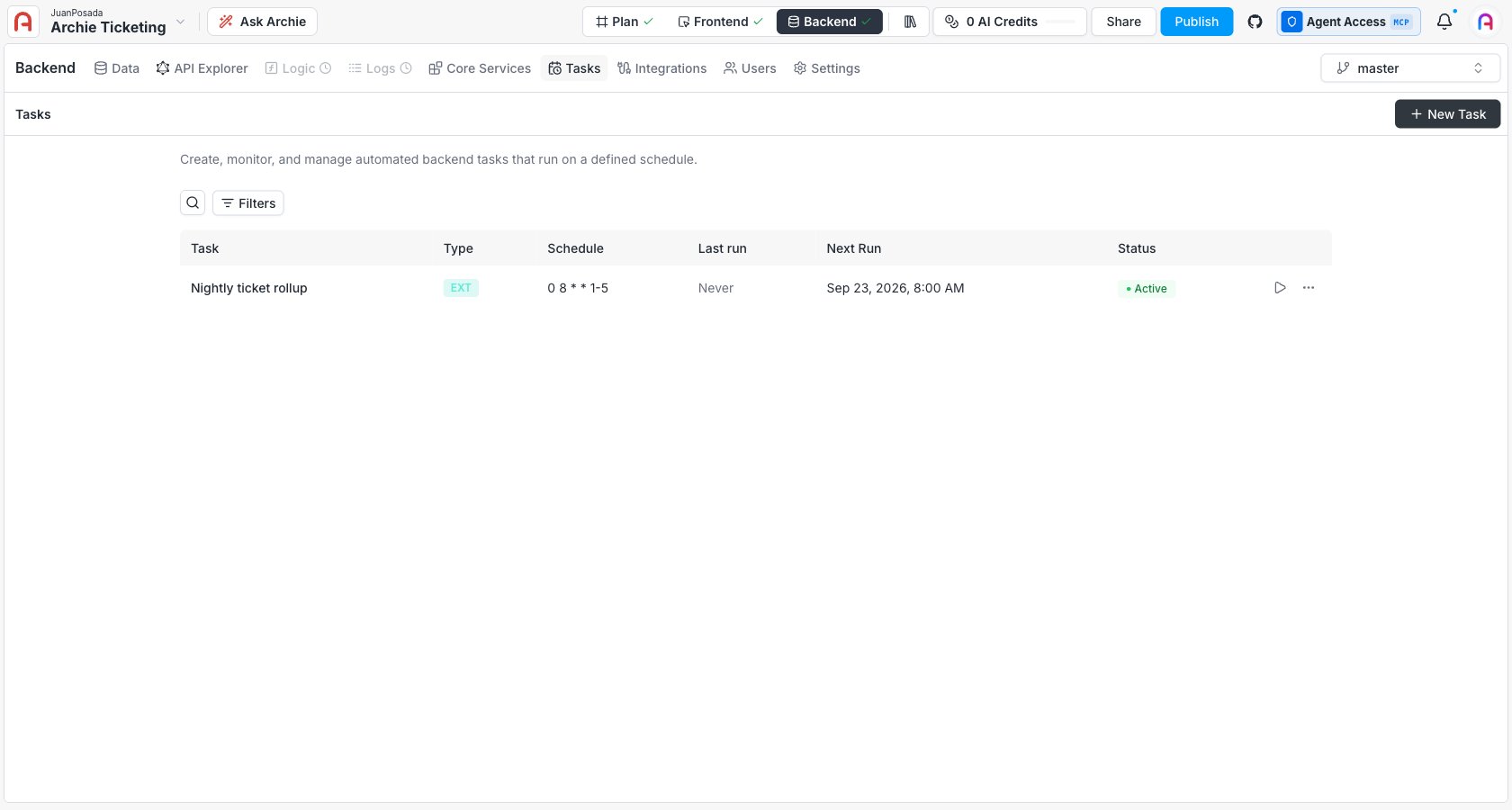
Editing a task
Open a task and edit any field. Two things to know:- Leaving the API key blank keeps the existing credential — you don’t re-enter it to change the schedule.
- Edits use optimistic concurrency: if someone else changed the task since you opened it, your save is rejected so you don’t overwrite their change. Reload and reapply.
FAQ
Do I have to know cron syntax?
Do I have to know cron syntax?
No. Use the natural-language mode — describe the schedule in words and click Resolve schedule to get a cron expression and a preview of the next fire times. Cron mode is there when you want exact control.
Can a task call an endpoint that needs authentication?
Can a task call an endpoint that needs authentication?
Yes — that’s what the execution credential is for. The task sends the value you give it as the
Authorization header on every dispatch. Scope that key to the task’s needs.Why is my External REST target rejected?
Why is my External REST target rejected?
External REST only allows public
https:// hosts. Private, loopback, and cloud-metadata addresses are blocked by the anti-SSRF guard. To call something inside your project, use a REST or Custom API target instead.What happens to a one-off task after it runs?
What happens to a one-off task after it runs?
It moves to Completed and never fires again. It stays in the list with its run history until you delete (archive) it.