

master. Switch environments and both tabs update with it.
The page header
The top bar shows:- Environment — the environment the page describes.
- Structure and Usage tabs — the two views described below.
- Live — a status indicator that confirms the backend is running. If it isn’t, the indicator reads Not live followed by the current status.
- Region — where the backend runs.
Structure tab
Structure shows what Archie generated for this environment.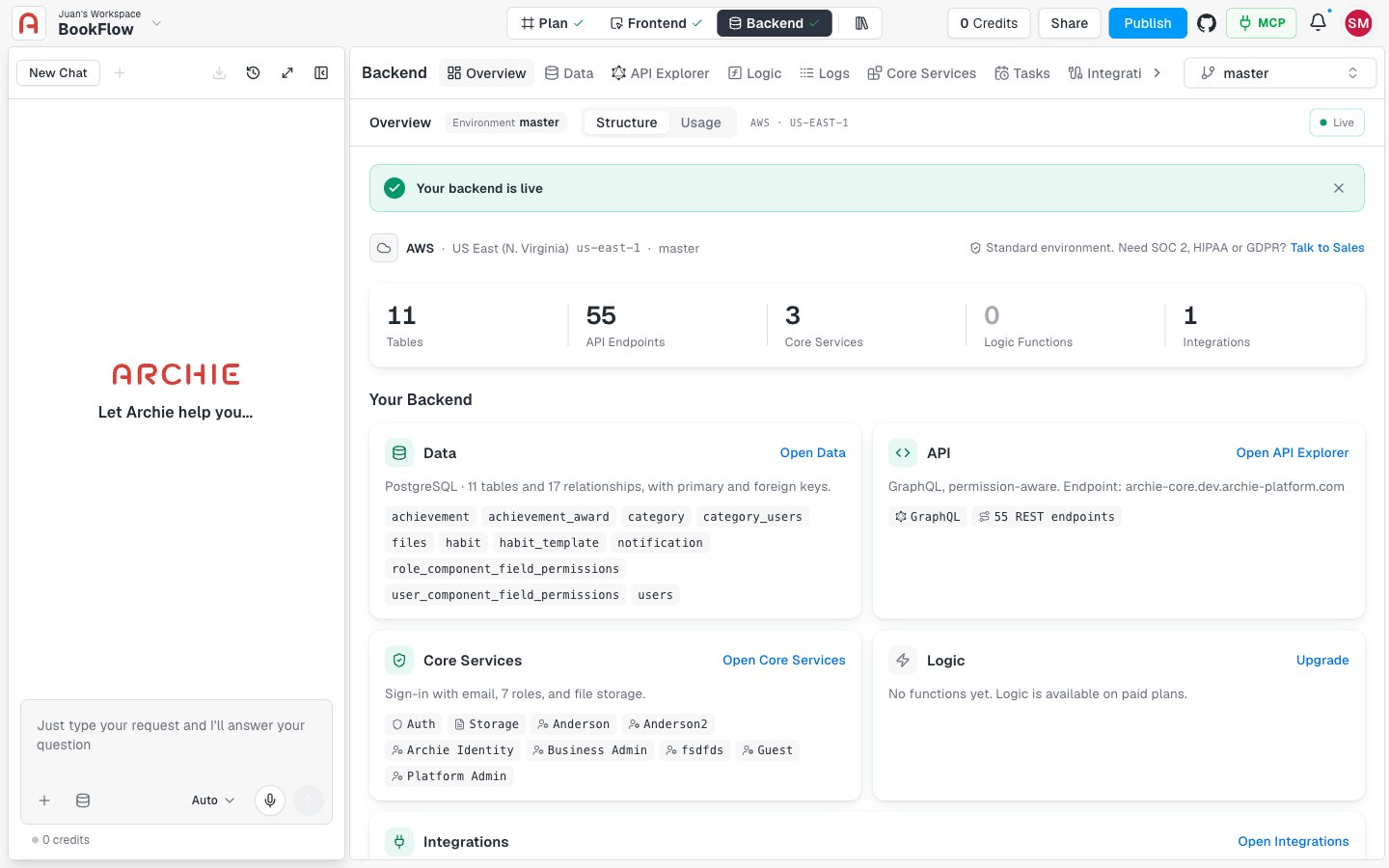
Live banner and compliance level
When the backend is running, a banner reads Your backend is live. Select the close button to dismiss it. The banner stays dismissed for that project and environment in your browser. Below the banner, the page lists the provider, the region, and the compliance level of the environment. A standard environment shows “Standard environment. Need SOC 2, HIPAA or GDPR?” with a Talk to Sales link.Key numbers
Five cards summarize the backend:Your Backend
Under Your Backend, one card per area explains what is set up and links to where you manage it.
If an area has nothing yet, its card says so. For example, Data shows “No tables yet.” and Integrations points you to the integrations catalog.
Logic is available on paid plans. On the Free plan, the Logic card shows an Upgrade button.
Usage tab
Usage shows how much of your plan this environment consumes. Figures cover this environment only. Plan limits and billing are shared across all environments, and View billing takes you to the billing page.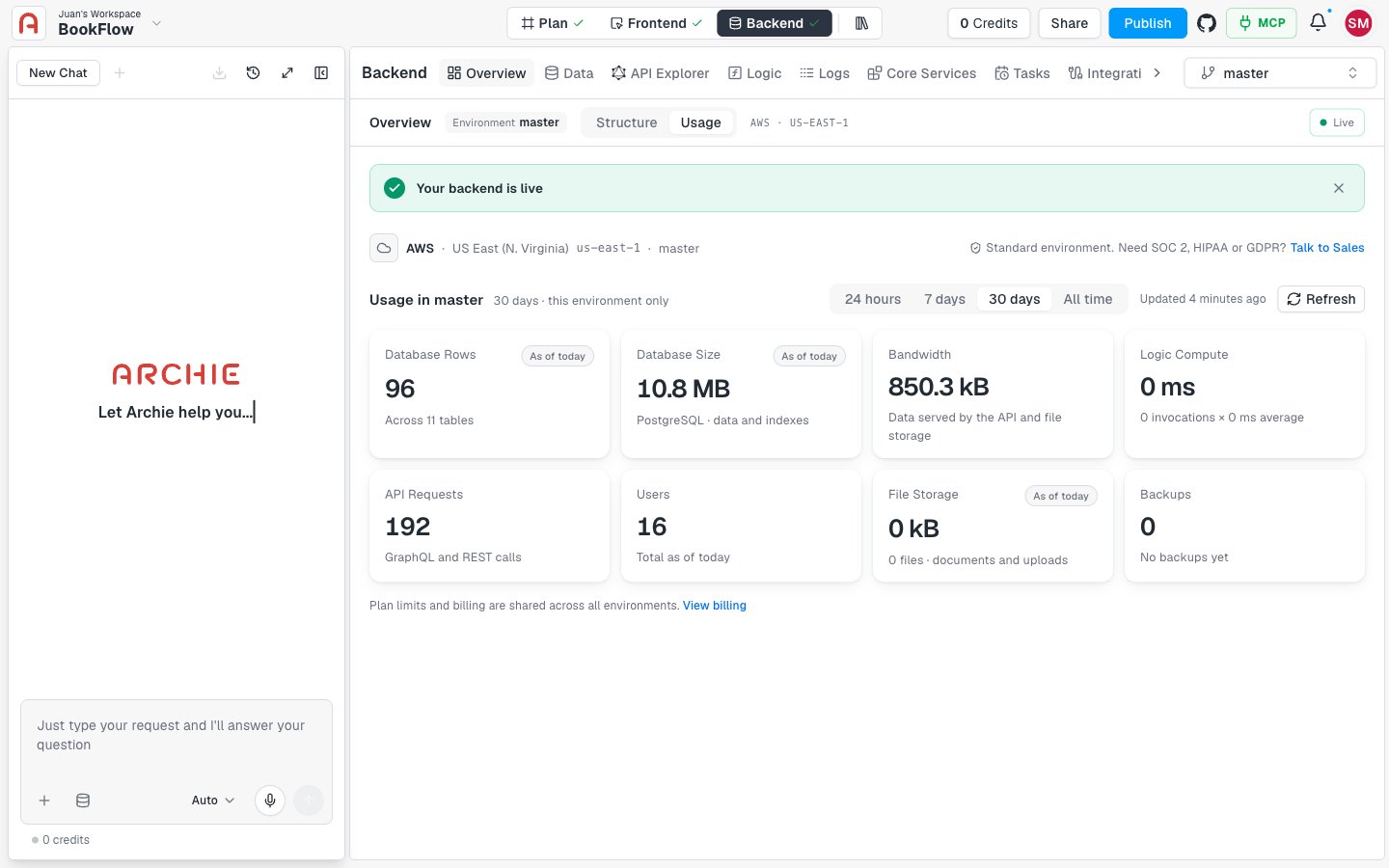
Choose a range
Pick 24 hours, 7 days, 30 days, or All time to change the period the cards cover.Usage cards
Keep numbers fresh
The page shows when the data was last updated. A badge such as As of today tells you the snapshot date. If live stats are unavailable, the badge reads Stale and the page shows the last snapshot instead. Select Refresh to request a new snapshot. If you refreshed recently, Archie tells you when you can refresh again. A card that reads Not aggregated yet or Not available yet has no data to show for now.Empty, error, and not-generated states
- Backend not generated — if the backend hasn’t been generated, the page shows No overview data yet. Check back after Archie generates the backend and your app starts to use it.
- Error — if the overview can’t load, the page shows Could not load the overview with the reason, for example that the service is unavailable, that you don’t have access to the project, or that the project or environment wasn’t found. Select Retry to try again.
Go deeper
Data
Tables, fields, and relationships.
API explorers
Try your GraphQL API, or use the REST API explorer.
Logs
See what your backend did and when.
Integrations
Connect third-party services.
Environments
Branch, compare, and back up your backend.
App Services
Authentication, roles, and file storage.
FAQ
Why does the Overview show different numbers in another environment?
Why does the Overview show different numbers in another environment?
Each environment has its own database, services, and usage. The page always describes the environment selected in the console.
Can I change my backend from the Overview?
Can I change my backend from the Overview?
No. The Overview is read-only. Use the shortcuts on the Your Backend cards to open the page where you make changes.
Why is my usage data marked Stale?
Why is my usage data marked Stale?
Live stats were unavailable, so the page is showing the last snapshot. Select Refresh to request a new one.
Why does the Logic card ask me to upgrade?
Why does the Logic card ask me to upgrade?
Custom functions are available on paid plans. See Plans and credits.