

Create a service
1
Open the dialog
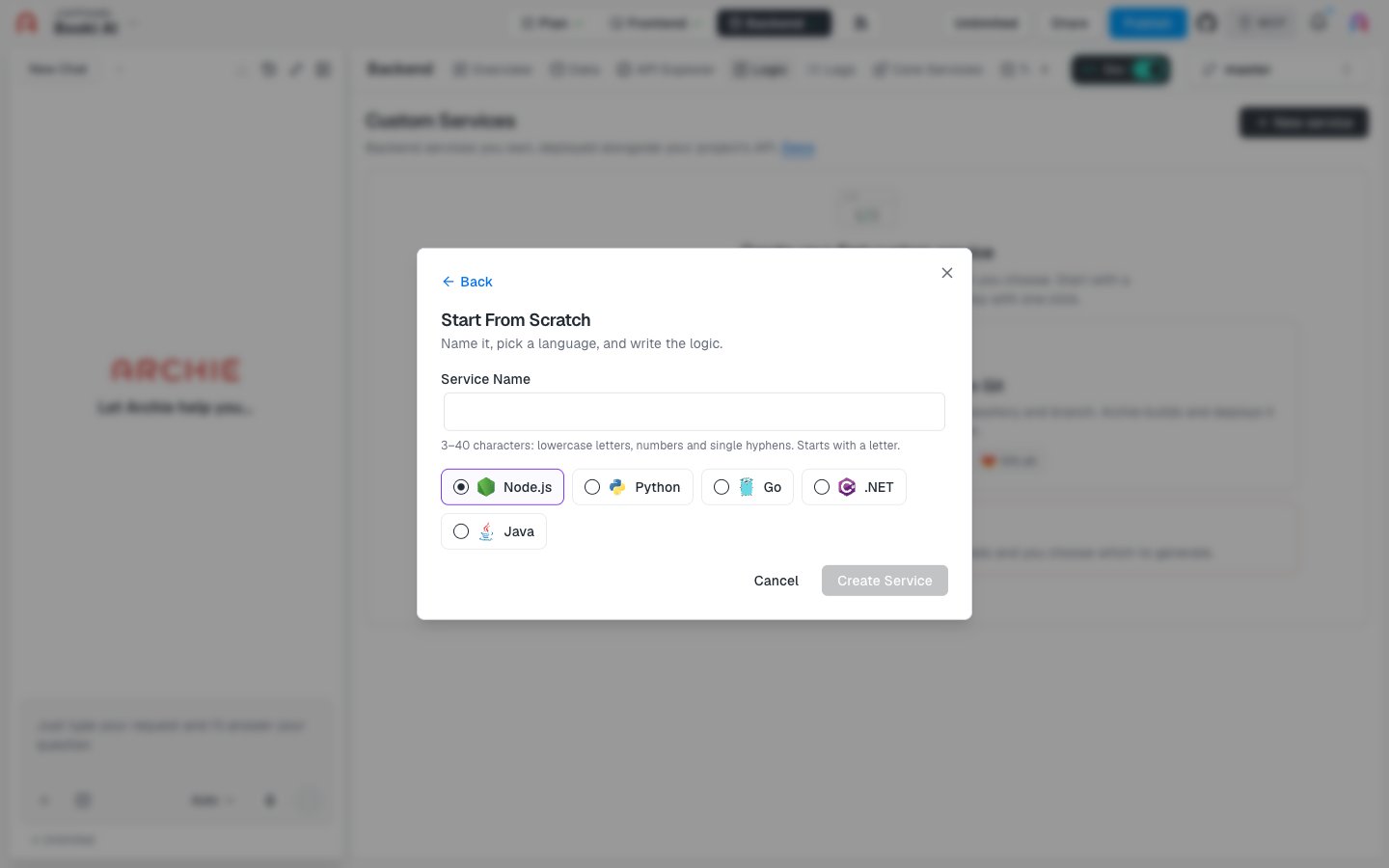
Go to Backend → Logic, click New service, select From Scratch, and click Continue. In the empty state, you can click Start from scratch instead.
2
Name the service
Enter a Service Name. Use 3–40 characters: lowercase letters, numbers, and single hyphens. The name must start with a letter.
3
Pick a language
Choose Node.js, Python, Go, .NET, or Java. Node.js is selected by default.
4
Create it
Click Create Service. The button stays disabled until the name is valid.
Archie describes this option as “Archie creates and hosts the code. Edit it here and deploy with one click.” The empty-state card adds that the service starts with a starter handler.
After you create the service
Open the new service to edit its starter handler in the Code tab. Add the environment variables your code needs, then deploy it.FAQ
Can I change the language later?
Can I change the language later?
The dialog doesn’t say. Pick the language you want before you click Create Service.
Can I add a second service?
Can I add a second service?
Not yet. For now each project can have one service. See Logic.
Can I import code I already have?
Can I import code I already have?
Yes. Use From a Code Repository.