

When to add an index
Add an index when:- A column is frequently used in lookups — for example, an
emailfield onusersor aslugonposts. - A column is used to filter or sort large result sets.
- You need to enforce uniqueness across a combination of columns (use a unique index).
Unique vs. non-unique
A unique index across
(workspace_id, slug) is the right way to say “every workspace must have unique slugs, but slugs can repeat across workspaces.”
Creating an index
1
Open the table
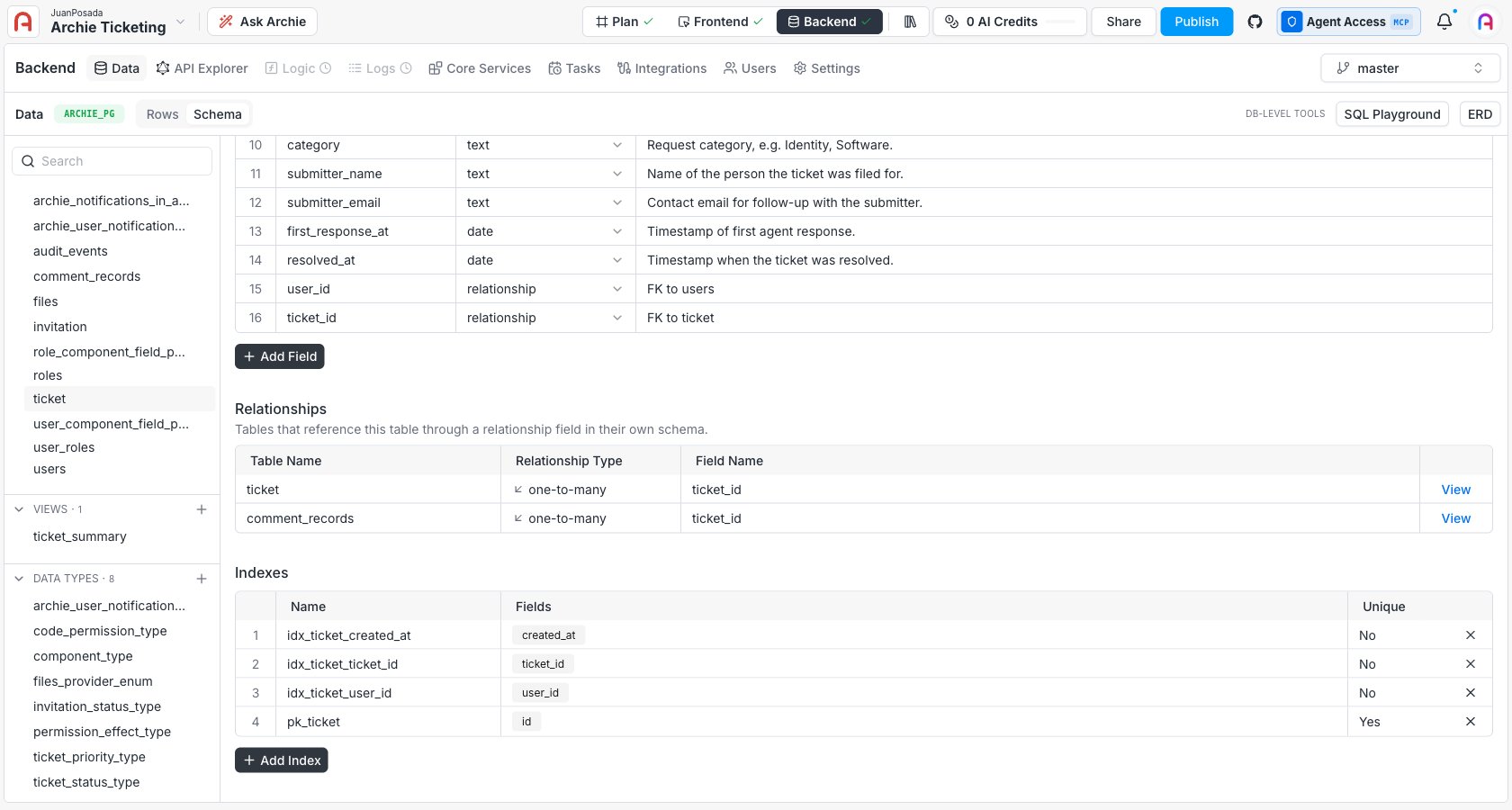
Click the table you want to index in the Data Model sidebar.
2
Scroll to the Indexes section
Below the field list, the Indexes section lists every index already configured on the table.
3
Click + Add Index
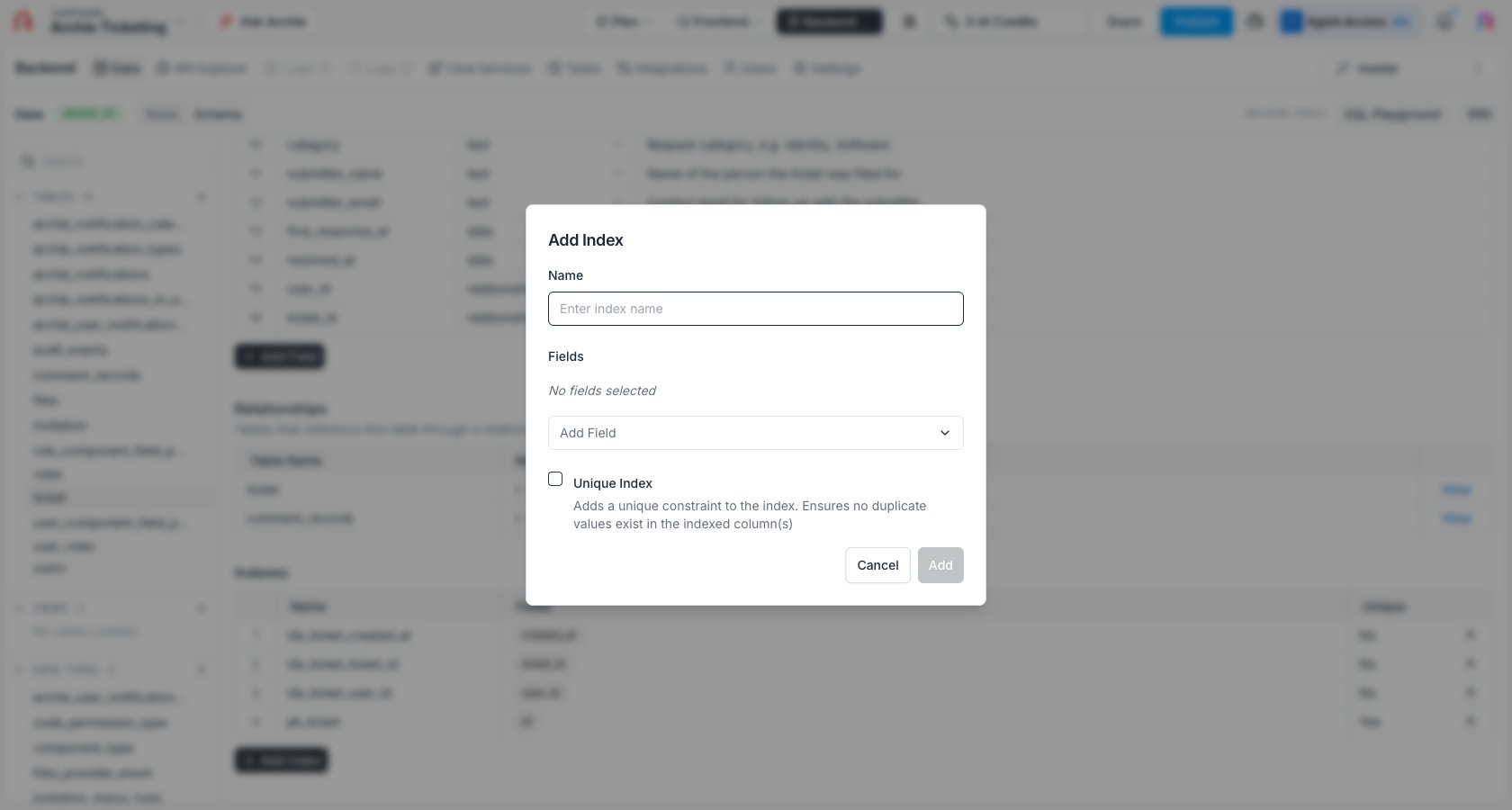
The index configuration dialog opens.
4
Pick the fields
Select one or more fields. The order matters for multi-column indexes — pick the order that matches how you’ll query.
5
Choose unique or non-unique
Toggle the Unique option if you want the index to enforce uniqueness across the chosen fields.
6
Name the index
Index names cannot contain spaces. Use snake_case (for example,
users_email_unique).7
Save
Click Add. The index is created immediately. For large tables, the operation runs in the background.
Single-column vs. multi-column indexes
A single-column index speeds up lookups on that column alone:users.email— speeds upWHERE email = '...'
- An index on
(workspace_id, created_at)speeds up queries that filter byworkspace_id, byworkspace_idandcreated_at, but not queries that filter only bycreated_at.
Unique constraints on a single field vs. a unique index
A field with Unique turned on is implemented under the hood as a single-column unique index. The two are equivalent for a single column — use the field-level toggle for clarity. Use the Indexes panel when:- Uniqueness needs to span multiple columns.
- You want to add a non-unique index for performance.
- You’re naming the index explicitly to match a convention.
How it appears in the API
Indexes don’t change the shape of the GraphQL or REST APIs — they affect query performance only. Unique indexes do surface as validation: inserts and updates that would violate uniqueness are rejected with a clear error.Permissions
Indexes are infrastructure-level — they don’t have their own permissions. Read and write permissions on the underlying table are governed by Role-Based Access.FAQ
Should I index every column I'll filter on?
Should I index every column I'll filter on?
No. Indexes have a write cost — every insert and update has to maintain them. Add an index when a query is measurably slow on real data. Most tables only need a few indexes.
Index column order — does it matter?
Index column order — does it matter?
Yes for multi-column indexes. The index helps queries that filter on a leading prefix of the columns.
(a, b) helps WHERE a = ? and WHERE a = ? AND b = ?, but not WHERE b = ? alone.What's the difference between a unique field and a unique index?
What's the difference between a unique field and a unique index?
A field with Unique on is a unique index on that single column. The Indexes panel is the right tool when uniqueness spans multiple columns.
Can I drop an index later?
Can I drop an index later?
Yes. The Indexes panel lists each index with a delete control. Dropping a non-unique index is safe; dropping a unique index removes the uniqueness guarantee.
Will adding an index lock the table?
Will adding an index lock the table?
Indexes on small tables are nearly instant. On large tables, the database creates the index without blocking reads or writes — but creation itself takes longer.