> ## Documentation Index
> Fetch the complete documentation index at: https://archie.com/docs/llms.txt
> Use this file to discover all available pages before exploring further.
# Branding
> Upload your logo, icon, and favicon for light and dark mode.
Branding configures your application's visual identity — the assets that appear in the header, browser tab, and anywhere else your app needs to represent itself as a mark rather than a screen of content.
## What you can upload
Each asset has a separate slot for light mode and dark mode, so your brand stays legible on either background:
* **Logo** — Light Mode, Dark Mode
* **Icon** — Light Mode, Dark Mode
* **Favicon** — Light Mode, Dark Mode
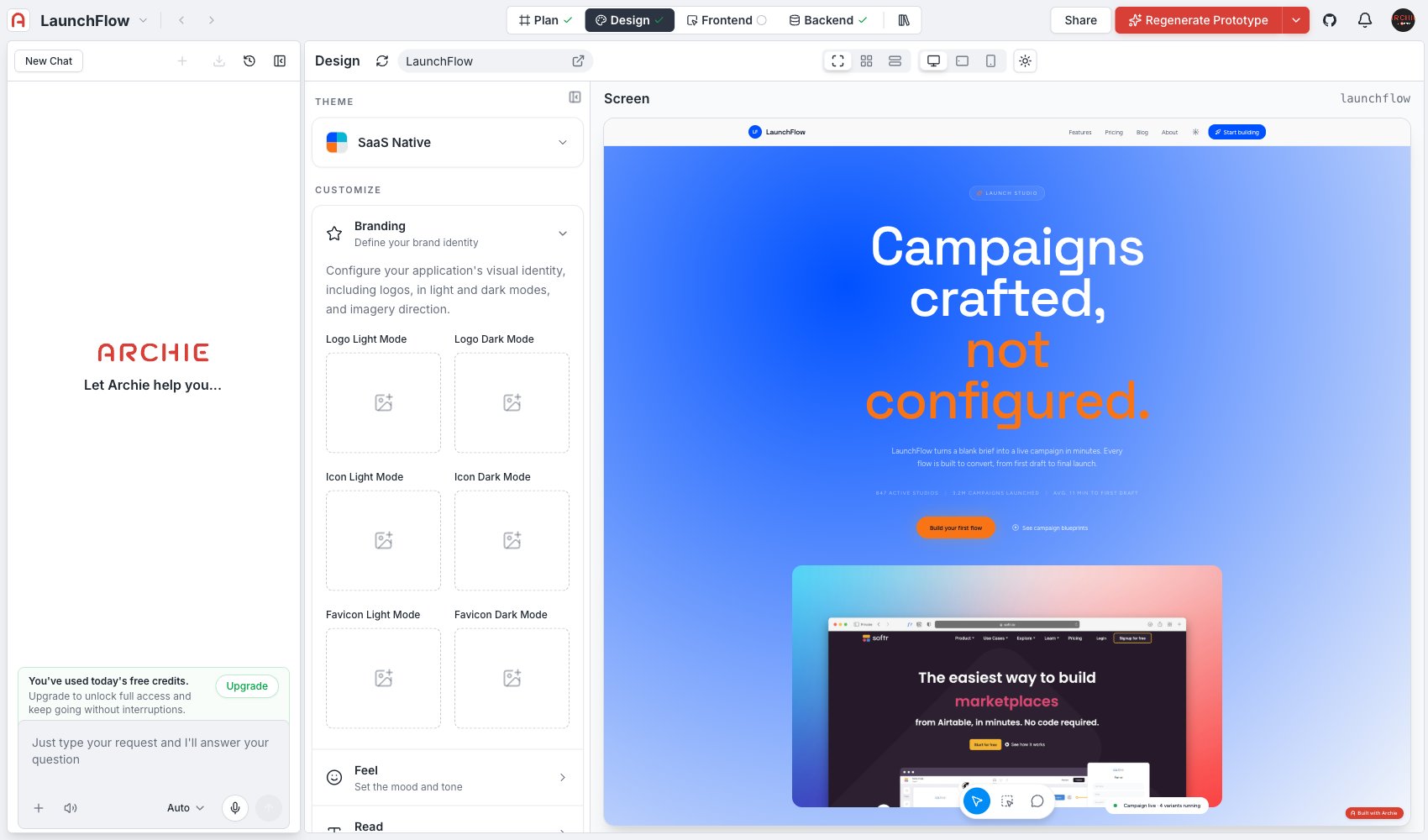 Click a slot to upload the corresponding file. Once uploaded, the generated screens in [Screens](/docs/features/design/screens/overview) reflect it immediately, in both preview modes.
## Light and dark variants
If your logo is a single dark mark, it will disappear against a dark background — that is why each asset has its own light and dark slot rather than one shared file. Upload a variant suited to each mode; a common pattern is an inverted or lightened version of the same mark for dark mode.
Use the **light/dark preview toggle** in [Screens](/docs/features/design/screens/overview) to check both variants against real screens before you build.
## FAQ
No — leave a slot empty and Archie falls back to a reasonable default. For the cleanest result, at minimum upload a logo for both modes.
Yes. Branding assets carry over as the starting point for the frontend's own [theming](/docs/features/frontend/theming) system, and you can replace them there through `public/` or the [Assets](/docs/features/assets/overview) surface.
Click a slot to upload the corresponding file. Once uploaded, the generated screens in [Screens](/docs/features/design/screens/overview) reflect it immediately, in both preview modes.
## Light and dark variants
If your logo is a single dark mark, it will disappear against a dark background — that is why each asset has its own light and dark slot rather than one shared file. Upload a variant suited to each mode; a common pattern is an inverted or lightened version of the same mark for dark mode.
Use the **light/dark preview toggle** in [Screens](/docs/features/design/screens/overview) to check both variants against real screens before you build.
## FAQ
No — leave a slot empty and Archie falls back to a reasonable default. For the cleanest result, at minimum upload a logo for both modes.
Yes. Branding assets carry over as the starting point for the frontend's own [theming](/docs/features/frontend/theming) system, and you can replace them there through `public/` or the [Assets](/docs/features/assets/overview) surface.